Scene Management
Object List
The Scene section shows all objects in the current scene. Each object is displayed as [index:uuid-prefix]. The selected object is marked with *.
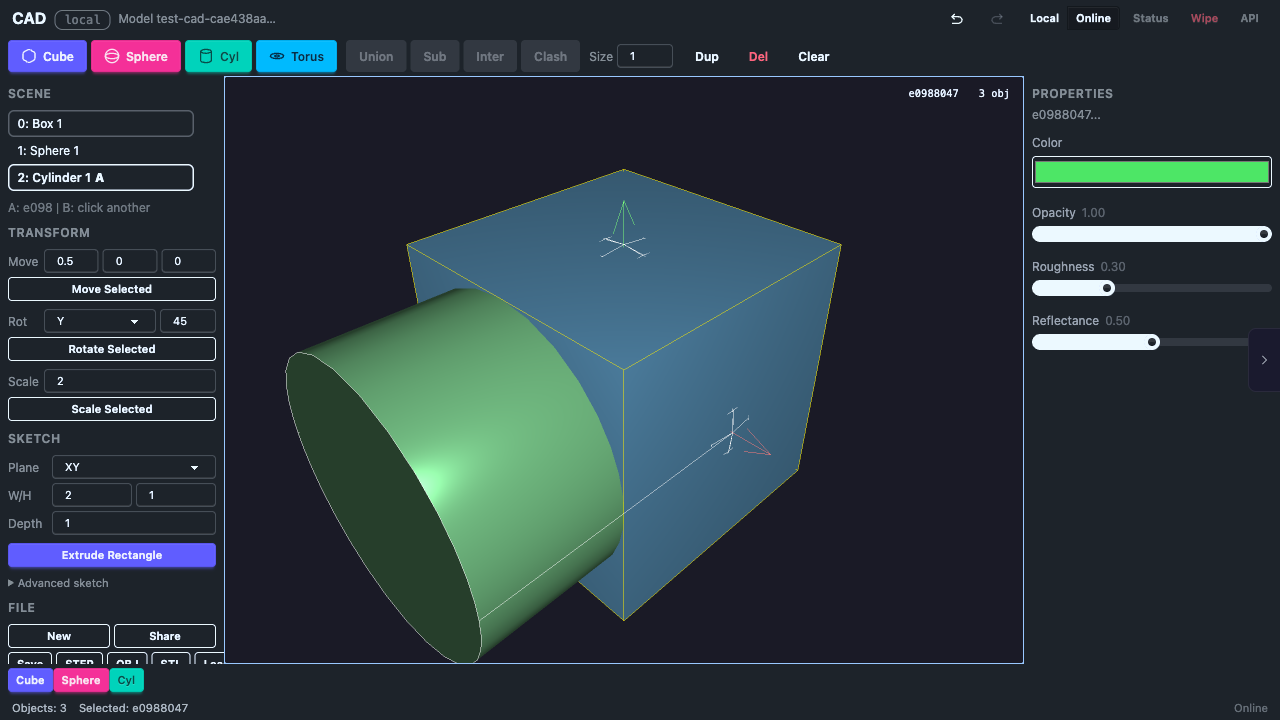
Selection
- Click an object in the viewport to select it
- Click empty space to deselect
- Selected objects show a translate gizmo (3 colored arrows)
Delete
- Delete Sel. — removes the currently selected object
- Delete key — keyboard shortcut for the same action
- Deletion can be undone with Ctrl+Z
Clear All
Removes all objects from the scene. This creates a blank scene.
Undo / Redo
| Action | Shortcut |
|---|---|
| Undo | Ctrl+Z |
| Redo | Ctrl+Shift+Z |
The undo system uses snapshots for fast restoration. Related operations (like adding a primitive and offsetting it) are grouped into single undo steps.
Timeline
The timeline strip shows recent operations as chips. Each chip represents an undoable action (add, translate, boolean, delete, clear).
Collaborative Editing
When multiple browser tabs are open, changes sync automatically via BroadcastChannel. Each tab sees the same scene state.